Silent Threat: Reborn - Director's Cut
After six years, numerous rewrites, substantial feature creep, and a few premature reports of project death, the FSPort Team is proud to finally bring you
Silent Threat: Reborn.

Containing eighteen missions, 947 voiced lines, dozens of SCP enhancements (while retaining retail compatibility), and countless hours of work, the final result is something we're very proud of. We hope you are as excited to play it as we are to release it.

And in 2015, we are very pleased to bring you the Director's Cut of Silent Threat: Reborn. This latest version features something we envisioned way back in 2008 but weren't able to achieve until now: two fully-rendered cutscenes to bookend the campaign. The intro cutscene was originally drafted by Galemp in 2008 but later completely remastered and rerendered by MjnMixael. The outro cutscene is MjnMixael's original work and features two brand new music tracks composed by Dan Wentz himself!
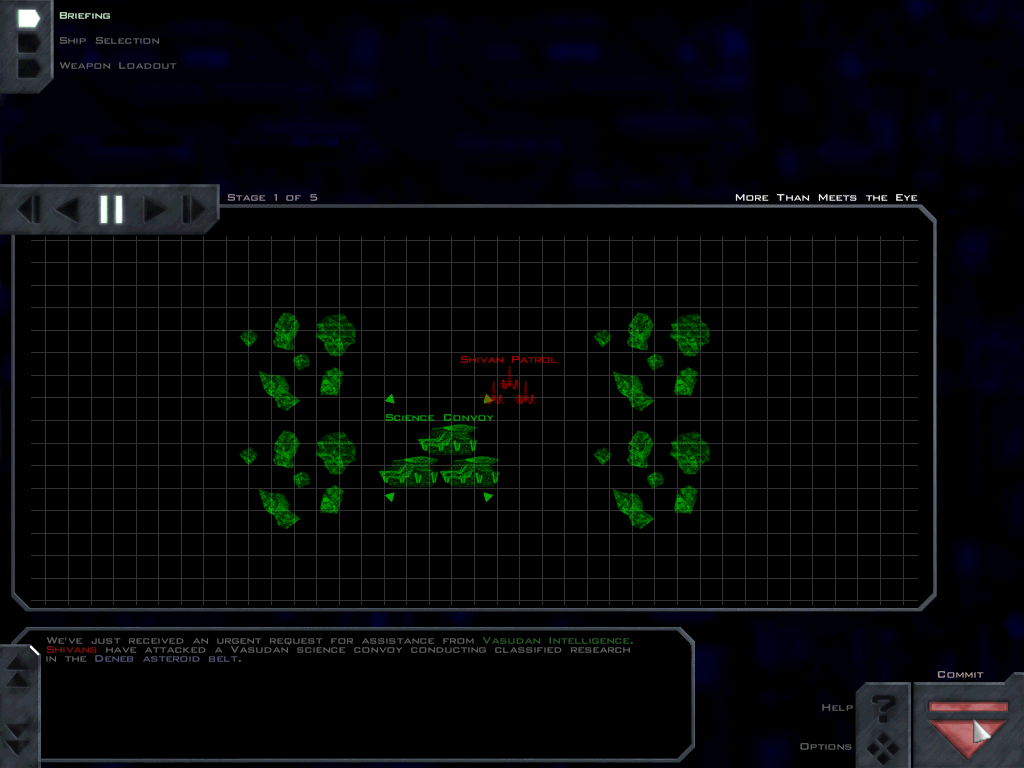
As a bonus, the Director's Cut also includes earlier drafts of what became "More Than Meets The Eye", "Ghosts", "Cloak and Dagger", and "Secrets Reborn". In particular, this version of "Cloak and Dagger" was very nearly the one included in the final release, and it's only fair that y'all have a chance to play it. As for the others, I thought you might like to catch a glimpse behind the scenes and compare these versions with both their predecessors in Silent Threat as well as their final versions in ST:R. These missions are not available in the course of the ST:R campaign but can be played via the tech room.
Screenshots

Downloads
You may download Silent Threat: Reborn automatically using Knossos or the
FreeSpace Open Installer, or manually via the links below.
Silent Threat: Reborn requires a full copy of FreeSpace 2 as well as the FreeSpace Port.ST:R Core FeralHostingVP SHA-1: eb96a9ea4f999b12a55dd114c99a297d4fc25cd5ST:R Voice Pack FeralHostingVP SHA-1: 8257d9057d8ba0b74ebb169ff213ce6e1a174845ST:R Cutscene Pack FeralHosting
480p 720p 1080pThe main download provides three mod.ini files, one each for a) using MVPs 2014, b) using MVPs 3.6.12, or c) not using MVPs. The MVPs 2014 mod.ini is activated by default.
The voice pack is HIGHLY RECOMMENDED. Several missions virtually require it. And it also delayed the release by about two years, so we think it's well worth waiting for.
The cutscene pack is also HIGHLY RECOMMENDED.
NOTE: If you liked ST:R, don't forget to give it a high score on the ModDB community ranking.